- Home Page /
- Electronics /
- Computer Accessories /
- Computer Accessories & Peripherals /
- Cables & Accessories /
- Cables & Interconnects /
- USB Cables /
- RJ11 Control Cable for Skywatcher HC, USB to ...
0 ratings





Item #:
31721349
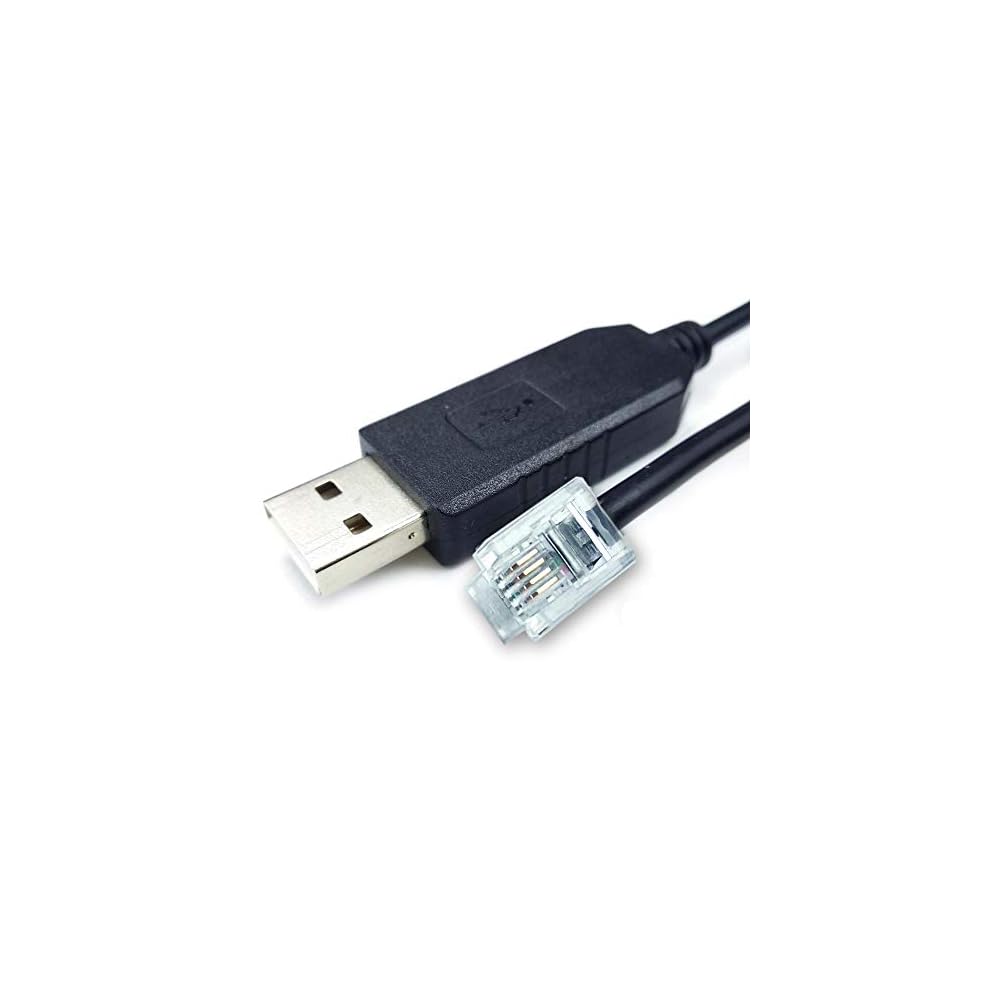
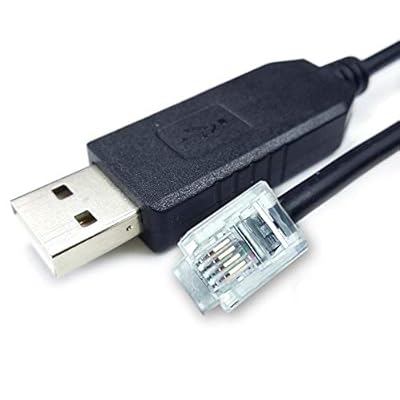
RJ11 Control Cable for Skywatcher HC, USB to RJ11 Console Cable for Skywatcher Hand Controller and Celestron NexStar 127SLT (16 FT/ 5M).
Item #:
31721349
PKR 13309
Price Details
Excluding Shipping & Custom charges ( Shipping and custom charges will be calculated on checkout )
*All items will import from US
0 ratings
Write a review
In stock
 Imported from USA store
QTY:
Only 2 items left in stock.
Order now and get it around Friday, June 26
Secured transaction
Ubuy works hard to protect your security and privacy. Our advanced payment security system ensures confidentiality by encrypting your information during transmission using AES (Advanced Encryption Standards) and SSL (Secure Socket Layer) protocols. Your payment details are 100% secure as we do not share your payment details with third party sellers.
Our Top Logistics Partners


Control your telescope faster and easier than ever with our USB to RJ11 console cable!

Fast
Shipping

Free
Return*

Secure Packaging

100% Original Products

PCI DSS Compliance

ISO 27001 Certified


Note: Step Down Voltage Transformer required for using electronics products of US store (110-120). Recommended power converters Buy Now.


What Stands Out
Versatile Compatibility
Designed for Skywatcher EQ6, NEQ6, and Orion Atlas EQ-G mounts, ensuring broad usability across popular telescope systems, catering to amateur astronomers seeking seamless connectivity.
Durable Construction
Built with high-quality materials to withstand rigorous usage and environmental conditions, offering longevity and reliability for stargazers, ensuring consistent performance during night observations.
Plug-and-Play Setup
Offers easy installation with no additional drivers required, enhancing convenience for users. Simply connect to your mount and computer, providing a hassle-free experience for beginners and experts alike.
Product Details
- Application Scenes. For connecting PC/Laptop and the HC, compatible for Skywatcher Hand Controller with RJ11 port, to control Telescope via computer. For upgrading Skywatcher Hand Controller (HC). It is NOT the cable for connecting directly Skywatcher Telescope/Mount and your computer. (More Usage) For connecting PC/Laptop and Celestron NexStar 127SLT Motorized Telescope.
- Adapter Cable. Built in FTDI chip. USB to RJ11 (6P4C) Adapter Cable. No power supply, ONLY control signal. Please check your HC brand, model and port before placing an order.
- Driver and APP Supported. 1. Compatible for ASCOM programs like PHD2 and AstroTortilla, for the EQMOD drivers in Windows (ASCOM) or Linux (INDI), for EQMOD, StellariumScope, and Stellarium, for AstroPhoto Tool program (APT). 2. In order to use EQMOD, you may have to find the new port assigned by Windows, or use the search button on the EQMOD setup screen to find it for you.
- OS Supported. Support all windows version Win7/8/10/XP/11, and iOS/Linux/Android. Windows 10 and Ubuntu-Mate 18.04 automatically identify the cable and register the serial port out of the box. If the cable not recognized by your computer, please manually update its driver.
| Connector Type | RJ11 |
| Cable Type | USB |
| Compatible Devices | Skywatcher HC, Celestron NexStar 127SLT |
| Other Special Features of the Product | Data Transfer, High Speed |
| Connector Gender | Male-to-Male |
| Number of Pins | 10 |
| Recommended Uses For Product | Connecting a computer to a Skywatcher or Celestron telescope for control and upgrade purposes |
| Indoor Outdoor Usage | Indoor, Outdoor |
| Unit Count | 1 Count |
| Number of Items | 1 |
| Outer Material | Plastic |
| Brand Name | Washinglee |
| Model Name | SN-062344 |
| Customer Package Type | Standard Packaging |
| Model | SN-062344 |
| Manufacturer | Washinglee |
| UPC | 603765839801 |
| Part Number | SN-062344 |
| Color | For HC (16 FT / 5M) |
| Item Shape | Round |
| Brand | Washinglee |
| Special Feature | Data Transfer, High Speed |
| Item Weight | 0.5 lbs (230 grams) |
Who Should Buy?

-
Astronomy Enthusiasts
Ideal for amateur astronomers looking to enhance control over their mounts for a better viewing experience.
-
Astrophotography Users
Perfect for astrophotographers who require precise control of their mounts for capturing detailed celestial images.
-
Telescope Programmers
Beneficial for users wanting to automate telescope movements and integrate with astronomy software for improved functionality.

-
Casual Stargazers
Not suitable for occasional users who do not require advanced control or automated tracking features.
-
Non-Technical Users
May not be appropriate for those uncomfortable with technology setups and software integration.
-
Budget-Conscious Buyers
Less ideal for users seeking a low-cost solution with minimal features for simple telescope usage.
Product Description
Have any Query? Chat with us
Customer Questions & Answers
-
Question:
What is the purpose of the RJ11 Control Cable for Skywatcher HC?
Answer: The RJ11 Control Cable is designed to provide a reliable connection between your Skywatcher hand controller and the telescope mount. It allows for effective communication, enabling precise tracking and control of your telescope. The cable's construction ensures minimal signal loss, enhancing the performance of your mount. This is especially beneficial when conducting astrophotography or exploring celestial objects, as it allows for accurate positioning without interruptions. -
Question:
Can I use the USB to RJ11 Console Cable with other telescope brands?
Answer: The USB to RJ11 Console Cable is primarily designed for Skywatcher hand controllers and devices like the Celestron NexStar 127SLT. While it may work with other devices that have RJ11 connections, compatibility is not guaranteed. Always check the specifications of your device before attempting to use the cable. This cable serves as a bridge between your computer and the telescope, allowing for software updates and remote operation. -
Question:
What length is the RJ11 Control Cable and how does that benefit me?
Answer: The RJ11 Control Cable comes in multiple lengths, with a common option being 16 FT (5M). This length provides flexibility in setup, allowing you to position your telescope at a comfortable distance from your control point, whether that's indoors or outdoors. Being able to connect devices over a longer distance is especially beneficial for observing sessions, where you might prefer to remain inside while monitoring celestial activities. -
Question:
Is the RJ11 Control Cable compatible with both Skywatcher and Celestron models?
Answer: Yes, the RJ11 Control Cable is compatible with many models from both Skywatcher and Celestron. For instance, it works seamlessly with the Skywatcher hand controller and the Celestron NexStar 127SLT. This compatibility allows users to connect different devices without needing multiple cables, making it a versatile choice for astronomers who appreciate ease in setup and operation. -
Question:
What features should I look for in a USB to RJ11 console cable?
Answer: When selecting a USB to RJ11 console cable, focus on durability, cable length, and compatibility with your devices. A well-constructed cable ensures longevity and reliable performance, while the right length provides flexibility in your setup. Additionally, compatibility is crucial; check that the cable works with your specific telescope models to ensure seamless usage for observation or astrophotography. These features will enhance your overall user experience. -
Question:
Can I use the RJ11 Control Cable for astrophotography?
Answer: Absolutely, the RJ11 Control Cable is an excellent choice for astrophotography. By connecting your telescope to the hand controller, you can precisely maneuver and track celestial objects, which is vital for capturing long-exposure images. This cable's ability to maintain a strong connection ensures that the telescope remains stable during the shoot, thereby enhancing the clarity and detail of your astrophotos. -
Question:
What materials are typically used in the construction of these cables?
Answer: RJ11 Control and USB to RJ11 cables are typically made from high-quality copper wiring with durable plastic insulation. This construction ensures low resistance and minimizes signal loss, promoting reliable communication. The sturdy outer jacket protects the internal wiring from wear and environmental factors. Quality materials contribute to the cable's longevity, making it suitable for both casual and serious astronomy enthusiasts who require dependable performance. -
Question:
How do I connect the RJ11 Control Cable to my telescope and controller?
Answer: To connect the RJ11 Control Cable, first, identify the RJ11 ports on both your telescope mount and the hand controller. Simply plug one end of the cable into the telescope’s control port and the other into the hand controller. Ensure a firm connection for optimal performance. This setup allows for easy management of telescope operations, making it simple to focus on your observing targets or fine-tune your tracking with ease. -
Question:
Are there any troubleshooting tips for connection issues with the RJ11 Control Cable?
Answer: If you experience connection issues with the RJ11 Control Cable, first check that both ends are securely plugged into their respective devices. Inspect the cable for any visible damage, which could affect connectivity. Additionally, verify your hand controller's settings and ensure they are configured correctly for your telescope model. If problems persist, trying a different cable or testing on another setup can help identify the source of the issue. -
Question:
Where can I buy the RJ11 Control Cable for Skywatcher HC and USB to RJ11 Console Cable in Pakistan?
Answer: You can purchase the RJ11 Control Cable for Skywatcher HC and the USB to RJ11 Console Cable for your telescope conveniently on Ubuy. They offer a wide range of electronic accessories and ensure you find the right cable for effective communication between your hand controller and telescope. With Ubuy's robust online platform, it's easy to explore various options and make an informed decision for your astronomical needs.
Washinglee USB Cables Editorial Review
The cable in question is a 6ft RJ11 (6P4C) crystal connector cable designed to connect computers and Skywatcher HC (hand controller). Customers have inquired if the cable can be used to connect to a phone (land line), or the wall-mounted phone jack, which the company has stated is not possible. However, it can be used with the Skywatcher AZ-GTI and AZ-GTE, computerized Alt-Az Tracking Mount. The cable relies on an FTDI chipset, and customers have reported successful use with various models of Skywatcher mounts, including the HEQ5 and EQ6-r Pro, as well as with Dell XPS 17 laptops and ASIAIR Plus 2.0. The cable is reported to have easy plug-and-play functionality, minimal glitches, and is highly recommended by customers. The only significant drawback is that it is only available in a 6ft length.
Customer Reviews & Ratings
5 customers ratings
-
5 Star
56%
-
4 Star
0%
-
3 Star
0%
-
2 Star
0%
-
1 Star
44%
Review this product
Share your thoughts with other customers
Pros
- Easy plug-and-play functionality
- Compatible with various Skywatcher mounts, Dell XPS 17 laptop, and ASIAIR Plus 2.0
- Reliable and recommended by customers
Cons
- Limited availability in a 6ft length.
Product Price History
Important information
- Limitations : For products shipped internationally, please note that any manufacturer warranty may not be valid; manufacturer service options may not be available; product manuals, instructions, and safety warnings may not be in destination country languages; the products (and accompanying materials) may not be designed in accordance with destination country standards, specifications, and labeling requirements; and the products may not conform to destination country voltage and other electrical standards (requiring use of an adapter or converter if appropriate). The recipient is responsible for assuring that the product can be lawfully imported to the destination country. When ordering from Ubuy or its affiliates, the recipient is the importer of record and must comply with all laws and regulations of the destination country.
- Not all the products listed on Ubuy are for sale, as Ubuy is a global search engine. Products are subject to export/trade regulations.
PKR 13309
Order now and get it around Friday, June 26
This item is not restrict in my country.(Please click on above link if this item is not restrict in your country, So our team will review and allow.)
QTY:
Only 2 items left in stock.
Secured transaction
Ubuy works hard to protect your security and privacy. Our advanced payment security system ensures confidentiality by encrypting your information during transmission using AES (Advanced Encryption Standards) and SSL (Secure Socket Layer) protocols. Your payment details are 100% secure as we do not share your payment details with third party sellers.
Our Top Logistics Partners
Fastest cross-border delivery
Features & Benefits
- One cable connects your PC/Laptop to Skywatcher Telescope for efficient control.
- Compatible with Skywatcher HC and Celestron NexStar 127SLT Motorized Telescope.
- Faster control compared to hand controller; enhances your astronomical experience.
- Visual aids for easy identification of celestial objects.
- Designed for long exposures, crucial for serious astrophotography enthusiasts.
- Supports various operating systems including Windows, iOS, Linux, and Android.